
Phishing-resistant MFA. No passwords, no hardware keys.
Hackers don’t break in — they log in. Dapple Authenticator replaces passwords and phishable MFA codes with software passkeys derived from a live biometric, delivering FIDO2 phishing resistance at a price every business can afford.
Book a Demo See PricingEnroll once. Nothing stored. Sign in anywhere.
Dapple turns your biometric into cryptographic passkeys on demand. The biometric itself never leaves the moment — it is never written to a device, a server, or a database.
Enroll once
A user enrolls with a quick biometric scan on any supported device. No hardware token to provision, no seed phrase, no password to set.
Keys derived on demand
At each login, the live biometric regenerates the user’s private key in the moment. The key material exists only during authentication.
Phishing-resistant sign-in
Authentication follows FIDO2 standards — cryptographically bound to the real site, so fake login pages, MFA-fatigue prompts, and code-stealing kits simply don’t work.
Recover without tickets
Lost or new device? The user re-derives their keys from their biometric — self-service, in minutes, with no helpdesk reset and no security questions.
Multi-tenant administration for the people who run it
- Multi-tenant admin portal — manage every client organization from one pane of glass, built for MSP and MSSP operations.
- Fast deployment — integrates with Microsoft Entra ID, Google Workspace, and major SSO providers. No rip-and-replace.
- Self-service recovery — biometric re-enrollment eliminates the #1 helpdesk ticket category: credential resets.
- Cyber-insurance ready — satisfies the phishing-resistant MFA requirements showing up in renewal questionnaires.
- Works offline-first — no dependency on a biometric cloud lookup, because there is nothing to look up.
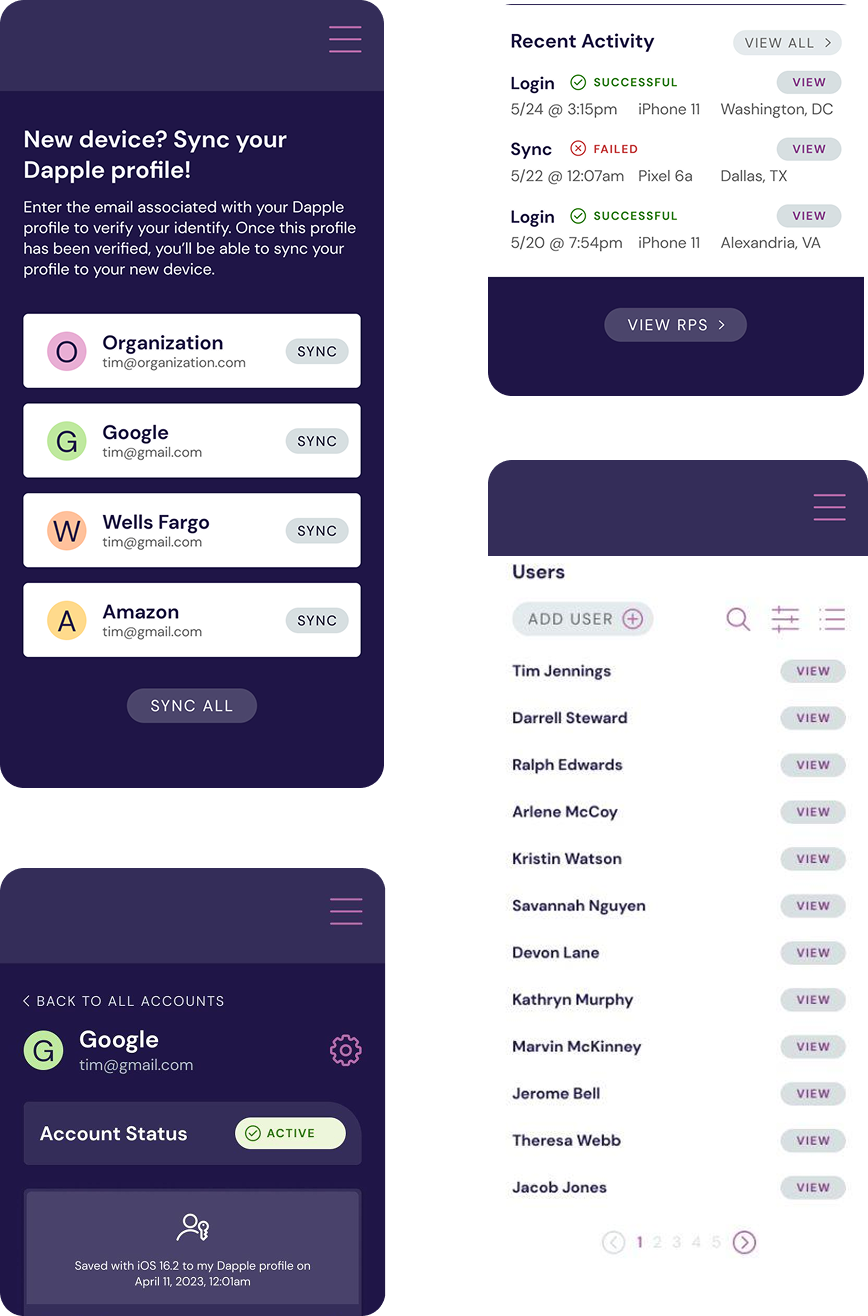
One portal, every tenant
Hardware-key security, software-key economics
| Dapple software passkeys | Hardware security keys | Code-based MFA apps | |
|---|---|---|---|
| Phishing-resistant (FIDO2) | Yes | Yes | No — codes can be phished |
| Per-user hardware to buy & ship | None | $25–$75 per key, plus spares | None |
| Lost credential recovery | Self-service biometric | Replace & re-ship the key | Helpdesk reset |
| Biometric data stored | Never | N/A | N/A |
| MFA-fatigue attacks | Immune | Immune | Vulnerable |
Questions buyers actually ask
Is my fingerprint or face stored anywhere?
What happens if my biometrics change — a cut finger, glasses, aging?
What if I lose my device?
Does this satisfy cyber-insurance MFA requirements?
Do we have to rip out our SSO or identity provider?
How is this different from the passkeys built into my phone?
See it in action.
Twenty minutes, your environment, your questions answered.